
Restaurant inventory management software · Stock
Know what you have.
Understand how it moves.
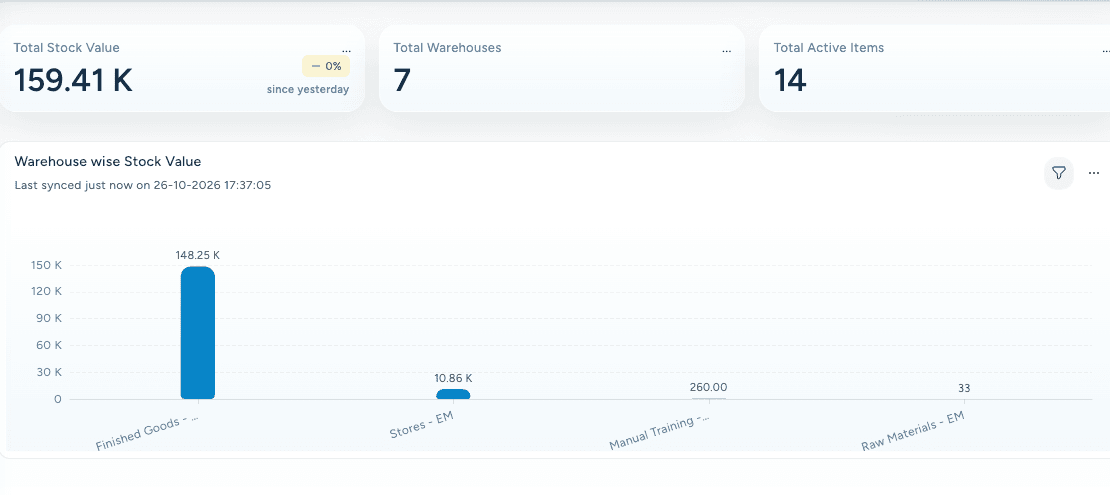
Connect stock availability, replenishment and consumption with inventory value, so the team can keep service supplied and resources visible.
See stock by location
Control consumption and variance
Understand inventory value
Inventory visibility
Know what is available.
Know where it is held.
Bring stock and warehouse context together, helping the team answer availability questions and prepare for the next demand.
Supply continuity
See the need.
Coordinate replenishment.
Connect requests, receiving and transfers so the storeroom and the people serving guests can work from the same stock picture.
From the request to the shelf
Keep the next supply connected.
Consumption and variance
Follow what is used.
Understand the difference.
Connect recipes, stock movements and physical counts, making consumption and unexplained differences easier to investigate.
Three views of the same ingredient
Make a difference easier to investigate.
Inventory economics
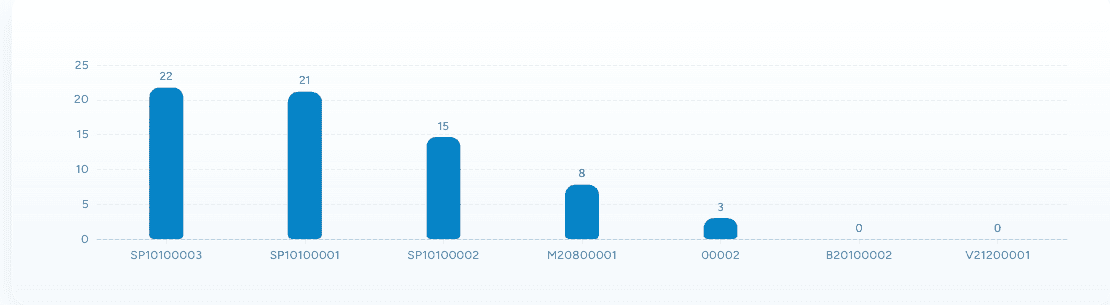
See what is sitting.
Keep its value in view.
Review stock ageing alongside inventory value. Connect purchasing and stock decisions with the financial picture of the business.
CONNECTED WITH FODISTA
A movement you can trace. A balance you can explain.
Connect the item on the shelf to the transaction, the recipe, and the financial value that belongs with it.
Product screens show demonstration data. Available workflows depend on your configuration and permissions.